Most golfers wonder whether new clubs will truly improve their performance or if the difference will be subtle at best. Marketing claims and shelf displays promise big gains, yet real improvement only happens when clubs match the player’s swing. This is where launch monitors become essential. Launch monitors club comparison sessions take guesswork out of evaluating equipment. They show exactly how old clubs perform versus new ones using clear, reliable data.
Instead of trusting feel alone—or relying on visual ball flight—launch monitors provide a level of detail that reveals hidden strengths, weaknesses, and opportunities for improvement. When golfers compare clubs using accurate metrics, they make smarter purchases, gain confidence in their equipment, and often uncover performance gains they didn’t realize were possible.
Why Launch Monitors Are Essential for Club Comparison
Comparing clubs by eye is nearly impossible. Human perception can’t accurately measure ball speed, spin, or launch. Conditions vary. Swings fluctuate. Visual judgment often leads players to keep clubs that hold them back—or to buy clubs that don’t suit their game.
Launch monitors eliminate these challenges. They track every important performance metric, making it easy to understand exactly how old clubs compare to new ones. This ensures decisions are based on data, not assumptions or marketing hype.
The Key Metrics Launch Monitors Track During Club Comparison
Launch monitors provide incredibly detailed data. These metrics reveal how effectively each club performs.
Ball Speed
A crucial indicator of distance potential. Higher ball speed usually means longer shots. Comparing ball speeds quickly shows which club delivers more energy at impact.
Clubhead Speed
Measuring swing speed helps determine whether the shaft, head, or overall design supports efficient motion. A mismatched club may slow you down.
Launch Angle
Launch angle influences both height and distance. Comparing launch angles helps fine-tune loft and shaft selections.
Spin Rate
High spin can rob distance; low spin can reduce stability. Launch monitors identify the ideal spin window for each club.
Carry Distance
The most important number for gapping and predictability. Comparing carry distance reveals whether new clubs help you hit longer, more consistent shots.
Smash Factor
Shows how efficiently the club transfers energy. Higher smash factor typically signals better face technology or improved strike quality.
Dispersion Pattern
Launch monitors track the left/right and long/short pattern of shots. This is essential for evaluating forgiveness and consistency.
These metrics paint a complete picture of how each club performs—and how well it suits your swing.
How to Compare Old vs. New Drivers Using Launch Monitors
Drivers benefit greatly from launch monitor comparison because small changes in design can produce significant performance gains.
Look at Ball Speed First
Ball speed is the clearest measure of improvement. New drivers often generate higher ball speeds through more advanced face technology. If your old driver is losing speed due to wear or outdated design, the monitor will show it immediately.
Evaluate Spin Differences
Too much spin reduces distance. Too little spin creates instability. Launch monitors reveal whether the new driver provides a more optimized spin profile.
Check Directional Consistency
Modern drivers often include enhanced MOI and adjustable weighting. If your old driver creates wide dispersions, you’ll see the difference in grouping patterns.
Assess Launch and Apex
The right driver should launch the ball into the ideal window for your swing. Launch monitors highlight whether the new club helps you reach that window.
After just a few swings, it becomes clear whether the new driver outperforms the old one.
How to Compare Irons with Launch Monitors
Old irons may lose consistency or distance as lofts shift, grooves wear, and shaft profiles no longer match swing changes. Launch monitors help determine whether new irons genuinely offer performance improvements.
Check for Distance Gapping Issues
Old irons often develop inconsistent gapping between clubs. Launch monitors reveal whether distances overlap or leave large gaps.
Analyze Ball Speed and Smash Factor
Newer irons use advanced face technology to generate more speed, even on mishits. Comparing old vs. new irons shows how much speed you gain.
Review Spin and Descent Angle
Approach shots rely on stopping power. Launch monitors help determine whether your irons deliver enough spin and height to hold greens.
Evaluate Consistency Across the Set
New irons may offer tighter dispersion. If your old irons scatter shots, you’ll see the improvement instantly.
How to Compare Hybrids and Fairway Woods
Launch monitor comparisons help golfers understand how hybrids and fairways perform in different situations.
Check Launch and Versatility
Hybrids and fairway woods should launch the ball easily from various lies. Launch monitors show whether new designs produce better height and carry.
Evaluate Forgiveness
Modern hybrids and woods often include AI-designed faces and improved weighting. This increases forgiveness, which shows up as tighter dispersion patterns.
Compare Turf Interaction Indirectly
While launch monitors don’t measure turf interaction directly, improved contact and more stable speed reflect better design.
How to Compare Wedges with Launch Data
Although wedges involve feel and versatility, launch monitors still play a crucial role.
Measure Spin Retention
Groove wear reduces spin dramatically. Launch monitors help you see how worn wedges compare to fresh ones.
Evaluate Launch Height
New wedge grinds and loft designs may help produce more consistent trajectories.
Compare Carry Distance
Distance control is key in scoring shots. Launch monitors reveal whether new wedges improve predictability.
Why Comparing Clubs Indoors and Outdoors Matters
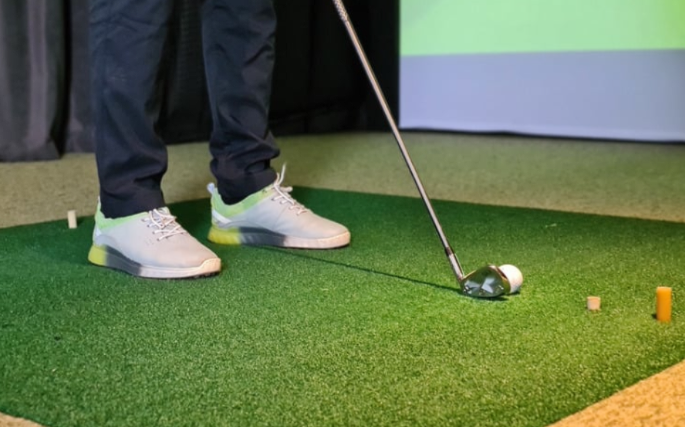
Indoor fittings offer controlled environments. Outdoor fittings show real ball flight. A combination of both provides the best evaluation.
Launch monitors excel in both settings, giving consistent, accurate data regardless of location.
How Launch Monitors Help You Avoid Bad Purchases
Launch monitors make it easy to avoid clubs that don’t suit your swing. Many golfers buy equipment that looks appealing but doesn’t offer measurable performance gains. By using launch data, you ensure every club upgrade has a purpose.
Data-backed decisions save money and improve performance.
How Launch Monitors Help Identify Swing Changes
Comparing clubs sometimes reveals underlying swing changes. For example, you may notice:
Clubhead speed differences
Angle-of-attack changes
Path or face inconsistencies
Spin changes due to contact pattern shifts
These insights not only help you choose the right clubs but also guide your practice.
Why Launch Monitor Comparisons Boost Confidence
Confidence grows when you use equipment that proves its performance through data. Launch monitors confirm improvement instead of leaving you guessing. Seeing real numbers builds trust in your clubs, helping you swing freely and commit to every shot.
How Often You Should Compare Old vs. New Equipment
Most golfers benefit from a comparison session every 1–2 years. Swing changes, technology advancements, and club wear all influence performance. Regular launch monitor sessions ensure your equipment continues to support your evolving game.
Final Thoughts: Launch Monitors Make Better Golfers and Smarter Buyers
Launch monitors club comparison sessions are one of the most valuable tools in modern golf. They reveal how your current clubs perform, whether new technology offers real benefits, and how equipment matches your swing today—not five years ago. By relying on data instead of guesswork, golfers make smarter decisions, gain confidence, and experience measurable improvement.
Whether you’re upgrading drivers, irons, wedges, or fairways, launch monitors ensure every club earns its place in your bag.
FAQ
1. Why should I compare clubs using a launch monitor?
It provides accurate data that reveals real differences in performance.
2. What metrics matter most in club comparison?
Ball speed, spin rate, launch angle, carry distance, and dispersion.
3. Do launch monitors work indoors?
Yes. Modern systems produce reliable data indoors and outdoors.
4. How long does a comparison session take?
Most sessions last 30–60 minutes depending on how many clubs you test.
5. Should I upgrade if new clubs show only a small improvement?
If improvements increase confidence or fill performance gaps, even small gains may be worthwhile.