
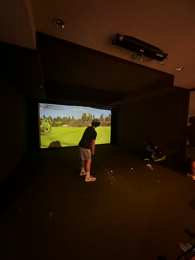
This note on the best personal launch monitor is a session sheet. It is not a ranking of devices and it is not a test. An earlier draft named models and claimed how accurate they are. Those lines are gone. If a device matters, its maker’s page is the source. This article will not replace that page with a winner.
What best personal launch monitor means on this page
A launch monitor is a device that reports numbers about a shot. What those numbers mean depends on the device and on the settings. Trackman explains one kind of modeled ball flight on its normalization page. Read that page before you treat a modeled figure as the shot you saw. Do not mix a modeled number from one block with a raw number from another block and call them the same thing.
This page will not tell you which brand to buy. It will not quote a price. It will not say a cheaper unit is ‘accurate enough.’ Those are claims this site did not measure. Your sheet records what the device printed and what you saw, and it names the manual you followed.
The sheet you fill before you hit
Write the device name from the label, not from memory. Write whether you are indoors or outdoors. Write the ball you are using, from the stamp on the ball. Write the club. Write the target you are aimed at, in words, such as the sign at the end of the bay. If you do not know a field, leave it blank.
Open the manual or the maker’s setup page and follow the placement it prints. Write ‘placed as the manual says’ only after you have done that. If you guessed the distance from the ball to the unit, write ‘guessed’ and do not treat the session as clean. A guessed setup is a reason to stop, not a reason to collect a pretty chart.
Ask the screen which values are measured and which are modeled, if the device makes that distinction. If it does not say, write ‘not labeled.’ Do not invent the label. The Trackman normalization explanation is an example of a maker telling you that a displayed flight can be a model. Your device may not work that way. Do not copy Trackman’s method onto a different brand.
One change at a time
Hit a short block with the setup you wrote down. Then change one thing, such as the ball position, and hit another short block. Write the change in words. Do not change the grip, the stance, and the target in the same block and then point at one number. You will not know which change the number followed.
Write what you saw as well as what the screen showed. A start left or right of the sign is a sight. A number on the screen is a device output. Keep them in different columns. If they disagree, the sheet should say they disagree. Do not ‘fix’ the sight so it matches the screen.
Stop the block if the setup moves. A unit that got kicked, a ball that is a different model, or a target you can no longer see is a new session. Draw a line and start the sheet again. Carrying the old numbers forward makes the page look more certain than the session was.
What not to conclude
Do not write that a higher number means a better swing. The device reported a figure under the settings you wrote down. It did not grade you. Do not write that you gained distance. This page has no before-and-after study. If you want to compare two days, put both sheets side by side and keep the settings visible. If the settings differ, you are not comparing the same thing.
Do not use the sheet as a medical or coaching credential. A device is not a teacher. If you want a person to look at the motion, that is a lesson, and the lesson is their words, not this article. Do not paste a screen into a message and call it a diagnosis.
Conforming equipment is a different question from a practice device. If you are unsure whether a club or a ball is allowed in the competition you play, read the USGA equipment standards page. This article does not decide that.
You can read other notes on Golf Place. Use them for vocabulary. Use the device manual for setup. Use the maker’s definition page for what a field means.
Photo: a golf simulator screen, by Kjaskren, public domain. File: Wikimedia Commons.
Buying without a ranking
If you are deciding whether to own a unit, write the place you will use it and the question you want the sheet to answer. A bay at home is a different place from a grass range. Ask the seller which place the device is meant for, and write their sentence. If they will not say, you are not ready to pay.
Ask what the device needs that you do not have: a net, a specific ball, a subscription, a clear space. Write each need as a separate line. This page will not tell you that a subscription is worth the money. It will tell you not to discover the subscription after you have paid for the hardware.
Ask for the return terms that day. Write them. A session sheet from a borrowed unit can answer whether you will actually fill in the columns. A purchase can wait until you have filled one sheet without skipping the setup line.
How to read the sheet a week later
A useful sheet still tells you the device, the place, the ball, the club, the one change you made, and whether the numbers were labeled as measured or modeled. If any of those lines is missing, the numbers are an orphan. Do not coach yourself from an orphan chart.
If two devices disagree, do not average them. Write both names and both outputs. Averaging is a third number nobody measured. The best personal launch monitor, for the purpose of this page, is the one whose manual you followed and whose fields you can still explain a week later.
Keep the sheets in the order of the date you wrote, not in the order of the prettiest chart. A bad session is part of the record. Throwing it away makes the remaining pages look like a test this site did not run.
If a friend wants your settings, hand them the sheet, not a verdict. They can read the manual for their own unit. Your columns are not their calibration.
When you outgrow a question, write the new question at the top of a fresh sheet. Do not keep adding columns until the page answers everything. One question, one change, one device, one manual. That is the whole method.
Concrete tip: on the next session, write the device, the ball, and whether the numbers are measured or modeled before you look at a single figure, and stop if you cannot fill those three lines.
A second session that does not borrow the first
The next time you use the device, start a new sheet even if the question is the same. Copy the setup lines again from the manual, not from memory of the last visit. A bay that moved the mat, a different ball, or a software update is a different session. Write the software name if it is printed on the screen. If an update changed a label, the old sheet’s label is not the new sheet’s label.
Do not stack sessions to manufacture a trend. Two sheets can sit in the same folder. They become a trend only when the device, the ball, the place, and the question match. If one of those differs, write ‘not the same setup’ between them. The best personal launch monitor habit is the refusal to connect two sheets that do not share those lines.
If you let someone else hit during your time, their swings are their sheet. Your name stays off their block. A shared screen is how a number migrates into the wrong log. Start your block again after they finish, with your ball and your target written once more.